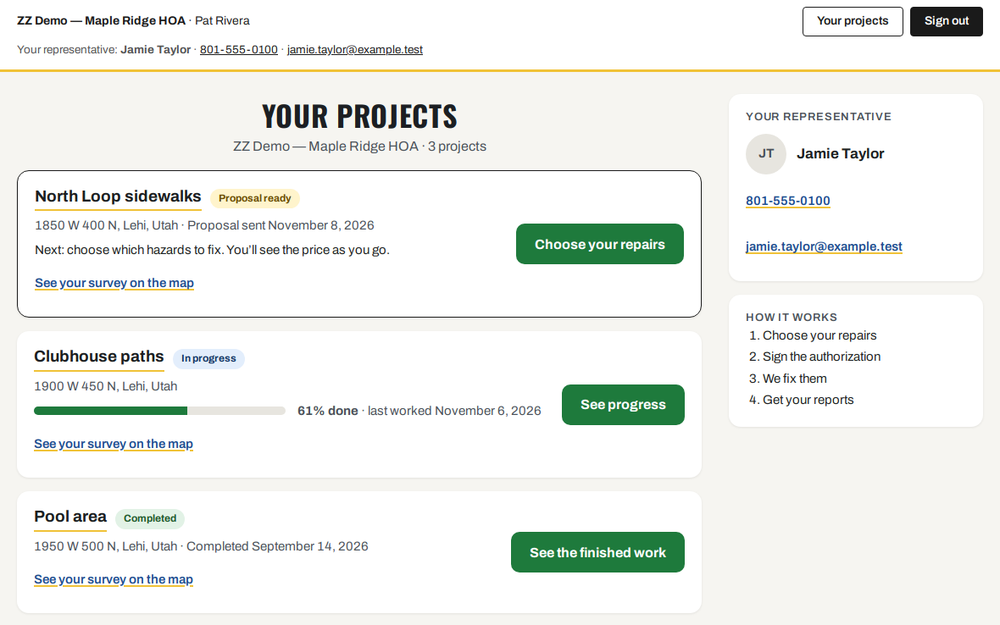
After you sign in, you see Your projects. Each project has its own card. Each card has one green button. It is always the next thing to do.
- Find the project you want.
- Read the small label next to its name. It tells you where the project is.
- Click the green button on that card.
- Want to come back to this list later? Click Your projects at the top of any page.