
- Save your choice first. See Choosing your repairs.
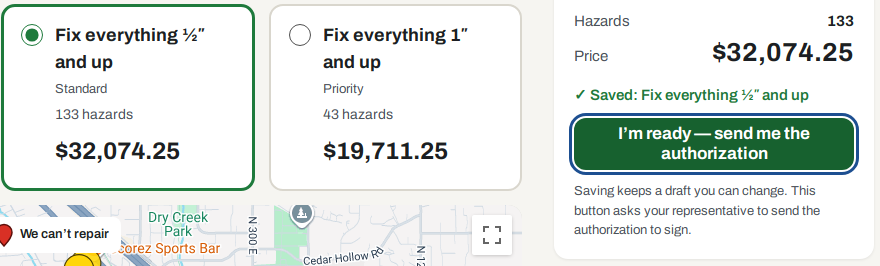
- Click the green I’m ready — send me the authorization button.
- It now says ✓ Sent to your representative, with the date and time.
- Your project card now says Authorization requested.
- Your representative sends the authorization within one business day.
I’m ready, and signing
What this page is for: pressing the green I’m ready button, and signing so the work can be scheduled.
Signing
- Your project card says Waiting for your signature.
- Look in your email for the authorization.
- Open it. Check what it says and the price.
- Follow the steps in the email to sign.
- When your representative records it, we email you. The email says what you signed and the price.
The price you sign is the price you pay. After you sign, the choice can’t be changed in the portal. More work is a new job.
Changed your mind?
- Before you press I’m ready: pick another card and click Save my choice.
- After you press it: pick another card and save again. Your representative is told. On the detailed page, click Change my choice first. Press I’m ready again when you are sure.
- Authorization already sent? Choose again and save. The page tells you the authorization will no longer match. Your representative is told.
- Already signed? Call your representative.
Was your work approved on paper, outside the portal? Then your card shows the date it was approved. There is nothing to choose. You can still follow the progress and get your download.
Stuck?
No authorization email after one business day? Look in your spam folder. Then call your representative.
Call or email your representative. Their name, phone and email are at the top of every portal page. No name there? Call the number at the bottom of every portal page.